CondoCafe Owner26.3.1
Publisher Description


Make payments, view payment history, submit maintenance requests.
The CondoCafe Owner App is available to those with a current RentCafe Portal Login. The app allows you to manage your condo information and services with a few simple touches. Log in securely from anywhere and update your profile, view and pay your account balance or submit maintenance requests.
CondoCafe Owner App features:(options vary based on each community)
- Submit one-time payments in three easy steps with various payment methods.
- Set up monthly automatic payments to help you avoid late fees.
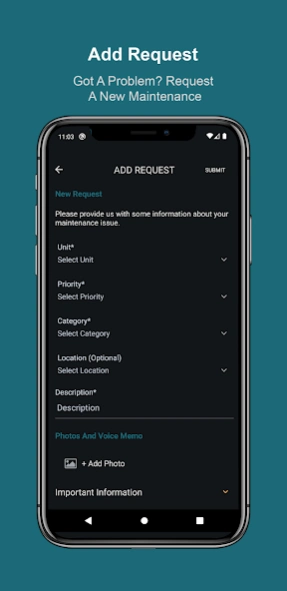
- Submit maintenance requests with photos and voice memos and track progress along the way.
- Reserve community amenities such as the clubhouse, meeting rooms, and pool area with just a few taps.
- Track when your packages are delivered or picked up, all within your app.
- Interact within your community through the Bulletin Board.
The CondoCafe Owner app has been designed for communities that use the RENTCafé platform as their Resident Portal. Some features may not be available at your property as options vary based on each community. If you have any questions about specific features, please reach out to your property management company.
About CondoCafe Owner
The company that develops CondoCafe Owner is Yardi Systems. The latest version released by its developer is 26.3.1.
To install CondoCafe Owner on your Android device, just click the green Continue To App button above to start the installation process. The app is listed on our website since 2026-03-18 and was downloaded 5 times. We have already checked if the download link is safe, however for your own protection we recommend that you scan the downloaded app with your antivirus. Your antivirus may detect the CondoCafe Owner as malware as malware if the download link to com.yardi.condocafe.owner is broken.
How to install CondoCafe Owner on your Android device:
- Click on the Continue To App button on our website. This will redirect you to Google Play.
- Once the CondoCafe Owner is shown in the Google Play listing of your Android device, you can start its download and installation. Tap on the Install button located below the search bar and to the right of the app icon.
- A pop-up window with the permissions required by CondoCafe Owner will be shown. Click on Accept to continue the process.
- CondoCafe Owner will be downloaded onto your device, displaying a progress. Once the download completes, the installation will start and you'll get a notification after the installation is finished.
Program Details
System requirements
Download information
Pricing
Version History
version 26.3.1
posted on 2026-03-18
Thank you for using our app. We’ve added password less login in our latest update!
version 25.4
posted on 2025-04-28
Thank you for using our app. We’ve addressed below issues in our latest update!
Fixed an issue where the event description was not displayed.
Fixed an issue where announcements were not getting deleted.
Added a filter on the reservation history page for filtering using Status. Also added search field for searching within the list.
Modified the monthly date picker for Authorized guests to accommodate the dates 29,30,31.
Links in the announcement popup are now shown as links and are clickable.
version 24.4
posted on 2024-05-27
Thank you for using our app! Below are some enhancements we have added in this version.
- Added an option to add Attachments to Communications.
- Option for Bilt payment link if present.
- Ability to delete attachments.
- Ability to add guest count.
- Login screen UI changes.
- Minor bug fixes.
